

An online CV that is always up to date.
Keep your experience, education, skills and projects in one place on your own site. Visitors read your CV at /cv and download it as a PDF in the template you picked. Update it once and the next download is current.
Updated by Raheel Shan
- Several layouts to choose from
- One-click PDF download
- Updated once, current everywhere
What you get.
Every section a CV needs
Header, experience, education, skills, projects, achievements, references, languages, tools, hobbies and causes, each kept as its own list.
Pick a template
Choose the design of your CV from the platform's templates. Switch any time and your content stays as it is.
A PDF in one click
Visitors press Download CV and get a PDF of it in your template, made right in their browser.
One link to send
Your CV lives at /cv on your site. Send that link and nobody reads an out-of-date attachment again.
Skills on your home page
The skills widget shows your strongest skills with proficiency bars, and your latest role, from the same CV.
Your years, counted for you
The about widget works out how long you have been working from your earliest experience entry.
How it works.
-
1
Fill in your sections
Add your roles, studies, skills and projects in the CV area of your dashboard.
-
2
Pick a template
Choose how the CV looks on the page and in the PDF.
-
3
Share the link
Send /cv to recruiters and clients. Edit it whenever something changes.
Included in every plan, Free too
0% Brandidos transaction fee on every plan. Start free on a brandidos address and upgrade when you are ready.
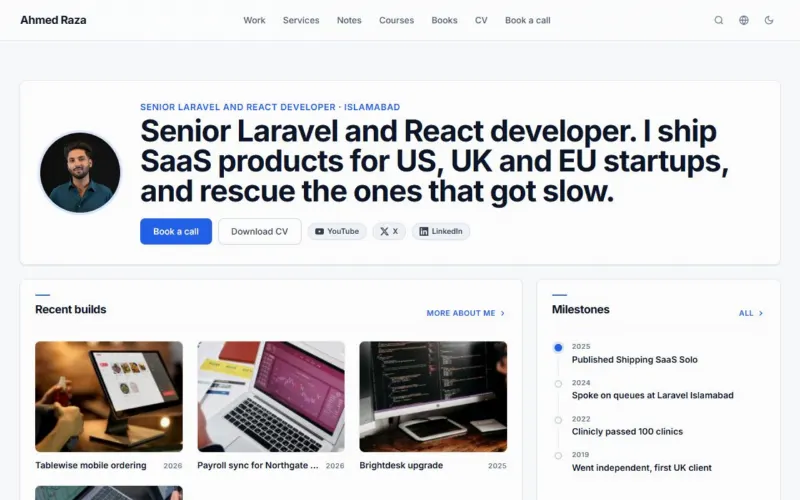
See it on a live site
Ahmed Raza: Developer selling services, a course and an ebook.
Questions.
Which plan includes the CV?
Every plan, Free included. Your CV is part of your site from the day you sign up.
Can visitors download my CV?
Yes. The Download CV button on /cv gives them a PDF in the template you picked.
Can I change the template later?
Yes. Pick another template and your CV redraws in it. Nothing you entered changes.
Does the CV change with my website theme?
The page around it follows your theme. The CV itself keeps its template's paper layout on white, so the PDF looks the same for everyone.
Can I use my own domain for my CV?
Yes, on every plan, Free included. The CV is at /cv on your domain and on your brandidos address.
Put your name on it.
Start with your profile and CV. Add your writing, products and bookings when you are ready.
Start for freeFree plan, no card needed.