

A services page that tells clients how to hire you.
Give each service its own page: what it is, what is included and how to start. Visitors land on the right page and ask for a quote from it. On Max, the same page shows a starting price and books a paid call.
Updated by Raheel Shan
- One page per service
- Shown on your home page
- A paid "service call" on Max
What you get.
A page for each service
A title, a short summary, a full description, a cover image and tags, at its own address on your site.
A clear next step
Every service page has a Request a Quote button that takes the visitor to your contact form.
All of them at /services
One page lists every published service, and each service page links to your others.
On your home page
The services widget shows up to nine services, at the width you choose.
Ready for search engines
Set a search title and description for each service, or let the summary fill them in.
Price, timeline and a paid call on Max
On Max each page shows a starting price and a timeline, and Book a Call takes a paid Service Call for that service.
How it works.
-
1
Describe the service
Write the summary and the details, add a cover image and tags, and publish.
-
2
Put it in front of visitors
Your services appear at /services and in the services widget on your home page.
-
3
Clients get in touch
They ask for a quote from the page, or on Max book and pay for a call straight away.
Included in every plan, Free too
0% Brandidos transaction fee on every plan. Start free on a brandidos address and upgrade when you are ready.
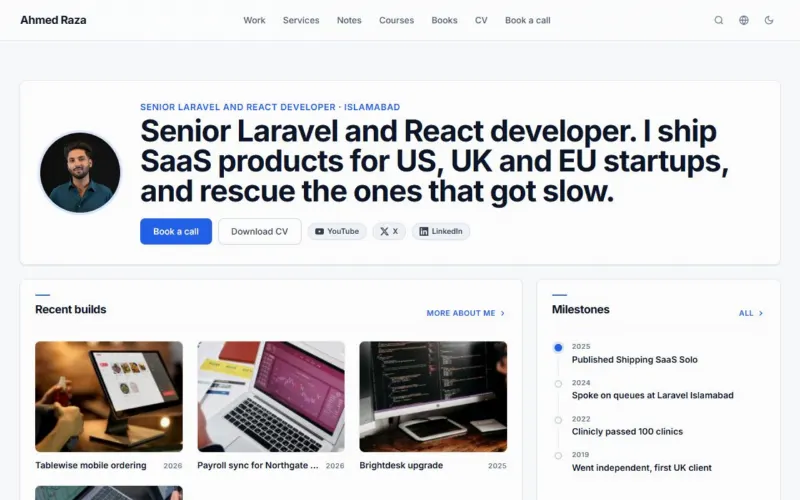
See it on a live site
Ahmed Raza: Developer selling services, a course and an ebook.
Questions.
Which plan includes service pages?
Every plan, Free included. On Free and Pro a service page is a showcase with a Request a Quote button. Max adds a starting price, a timeline and paid Service Call bookings.
Can clients pay me for a service?
On Max they book and pay for a Service Call from the service page. On Pro and Max you can also send quotations and invoices with a Pay now link.
Where do quote requests go?
Request a Quote opens your contact form. Messages arrive in your dashboard.
Can I keep a service as a draft?
Yes. A service shows on your site only once you publish it.
Can I show reviews on a service page?
Yes. Buyers of a Service Call can review it, and published reviews show on that service's page.
Put your name on it.
Start with your profile and CV. Add your writing, products and bookings when you are ready.
Start for freeFree plan, no card needed.