

Start a blog on your own website.
Write posts with a block editor, group them by category and let readers comment. Each new post reaches the subscribers who asked for it. Every post builds your own site and your own list.
Updated by Raheel Shan
- Rich editor with code, images and tables
- Comments and categories
- New posts emailed to subscribers
What you get.
A block editor for real writing
Headings, lists, quotes, tables, images, code blocks, tips and notes, laid out the way you write them.
Categories, tags and search
Group posts by category, tag them, and let readers search your posts from the blog page.
Comments you approve
Readers comment without making an account. New comments wait for your approval, and you reply from your dashboard.
Subscribers hear about it
Publishing a post emails the subscribers who chose new posts. It goes once, the first time the post goes live.
Built for search engines
A search title and description on every post, an RSS feed, a sitemap, and old links kept working when you rename a post.
Reading time and related posts
Every post shows how long it takes to read and suggests related posts at the end.
How it works.
-
1
Write the post
Add a title, a cover, your text and images, then pick a category and tags.
-
2
Publish it
The post goes on your blog, your RSS feed and your sitemap, and subscribers get an email.
-
3
Grow your list
Readers subscribe from your site and confirm by email. Your next post reaches them too.
Included in every plan, Free too
0% Brandidos transaction fee on every plan. Start free on a brandidos address and upgrade when you are ready.
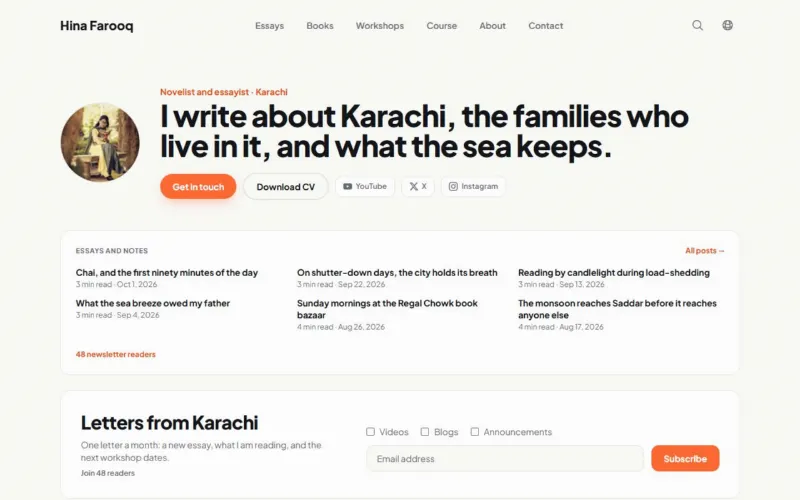
See it on a live site
Hina Farooq: Author with a book, a newsletter and workshops.
Questions.
Which plan includes the blog?
Every plan, Free included. Categories, comments, RSS and subscriber emails are all part of it.
Can I turn comments off on a post?
Yes. Comments are a switch on each post. Where they are on, every new comment waits for your approval.
Do my subscribers get an email for each post?
Yes, the subscribers who opted into new posts. Editing a post that is already live sends nothing.
Can I show my latest posts on my home page?
Yes. The posts widget lists your newest posts, at full, two-thirds, half or a third of the width.
Can I use my own domain for my blog?
Yes, on every plan, Free included. Every page tells search engines your main address, so your domain and your brandidos address never compete.
Works well with
Put your name on it.
Start with your profile and CV. Add your writing, products and bookings when you are ready.
Start for freeFree plan, no card needed.