

Build landing pages for launches and webinars.
Put together a page for one launch, one webinar or one free download, block by block, with the page updating beside you. It lives on your own site, in your theme, with nothing on it but your offer.
Updated by Raheel Shan
- Built from ready blocks
- Email capture and countdowns
- Drawn in your site's theme
What you get.
Start from a template
Product launch, webinar, free download, coaching offer, event or coming soon. Each one starts with sample copy you replace, or start blank.
Thirteen blocks
Hero, text, features, numbers, testimonials, offer, product, questions, countdown, email form, image, video and a call to action.
One page, one action
A campaign page shows no menu or footer links by default, so visitors stay on your offer. Switch your site's header and footer on if you want them.
Leads into your list
The email form adds visitors to your newsletter subscribers with double opt-in, and the page counts its leads.
Your theme draws it
Blocks take the look of your site's theme. Change the theme and every campaign page follows.
Share before you publish
A draft opens only through its preview link. Send it to a client or a friend, then publish when it is ready.
How it works.
-
1
Pick a template
Give the page a title and choose a starting template.
-
2
Edit the blocks
Change the copy, reorder blocks by dragging, set each one's band colour, alignment and spacing. Every change saves on its own.
-
3
Publish and share
Publish from the top bar. The page goes live at /campaign/your-page on your site.
Included in every plan, Free too
0% Brandidos transaction fee on every plan. Start free on a brandidos address and upgrade when you are ready.
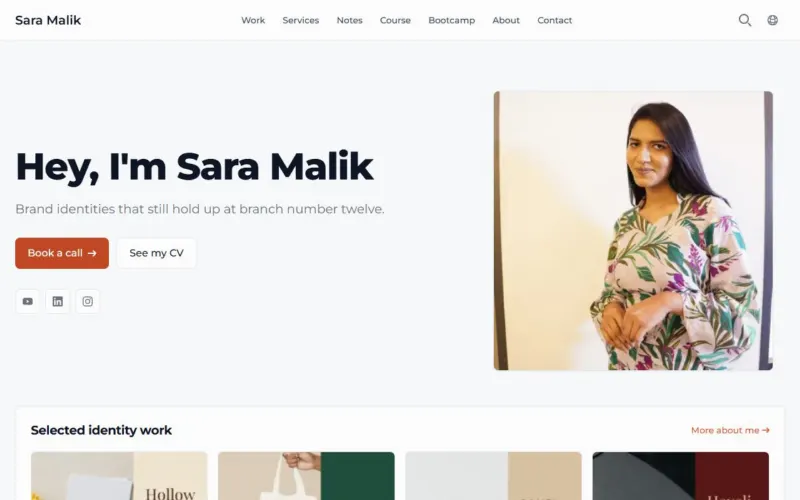
See it on a live site
Sara Malik: Brand designer selling courses and client work.
Questions.
Which plan includes campaign pages?
Every plan. Campaign pages are part of the core, on Free as well.
Can a page sell one of my products?
Yes. The product block shows one of your books, courses, workshops or bootcamps with its price and a link to buy it.
Where do the email addresses go?
Into your newsletter subscribers, confirmed by email. From there you can send them an email campaign.
Can I embed a video?
Yes. The video block takes a YouTube or Vimeo link.
Do I need to know code?
No. You fill in each block's fields and pick its style. Text blocks take Markdown for bold, links and lists.
Works well with
Email and WhatsApp campaigns
Every planSend email and WhatsApp campaigns to your audience.
Themes
Every planWebsite themes that fit your brand.
Coupons and abandoned checkouts
Pro and upDiscount coupons and abandoned checkout emails.
Courses
Pro and upTeach once. Get paid every time someone learns.
Put your name on it.
Start with your profile and CV. Add your writing, products and bookings when you are ready.
Start for freeFree plan, no card needed.