

Send email and WhatsApp campaigns to your audience.
Write to the people who signed up on your site, from the same place you publish. Campaigns go out in paced batches inside the hours you choose, and you watch every message arrive or fail.
Updated by Raheel Shan
- Email your confirmed subscribers
- WhatsApp customers who opted in
- Paced batches inside your hours
What you get.
Your own subscriber list
Visitors subscribe on your site and confirm by email. Only confirmed subscribers get your campaigns, and every email has an unsubscribe link.
Send by topic
Subscribers pick new posts, new videos or updates. Send to everyone, or only to the people who chose one topic.
WhatsApp to your customers
Message customers who opted in from their account, or only the ones who bought from you, through your own WhatsApp Business connection.
Paced, never one burst
Set the batch size, the pause between batches and a random gap between messages. Nothing new starts outside your sending window.
Progress you can see
Each campaign shows sent, failed, waiting and skipped, an estimated finish time, and the reason each failed message failed.
Test, pause and duplicate
Send a test to any address or number first. Pause, resume or cancel while it runs, and duplicate a sent campaign to send a new version.
How it works.
-
1
Write the message
Add a subject and content with headings, lists, images and links. {name} becomes the reader's first name where you know it.
-
2
Choose who gets it
Pick all confirmed subscribers or one topic, set a start time or send right away, and adjust the pace if you want.
-
3
Watch it go out
The platform sends it in the background, batch by batch, and the campaign page shows its progress.
Included in every plan, Free too
0% Brandidos transaction fee on every plan. Start free on a brandidos address and upgrade when you are ready.
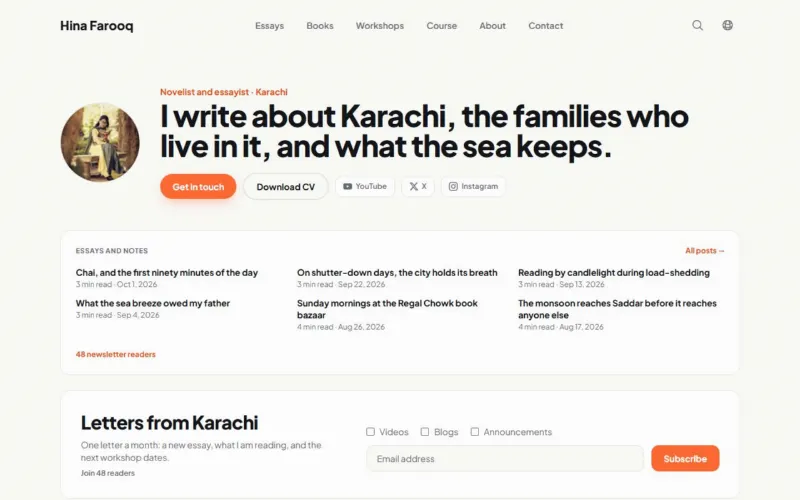
See it on a live site
Hina Farooq: Author with a book, a newsletter and workshops.
Questions.
Which plan includes campaigns?
Every plan. Email campaigns go to your newsletter subscribers from day one. WhatsApp campaigns go to customers who opted in, so they start once you sell on Pro or Max.
Who receives an email campaign?
Confirmed subscribers only. Recipients are fixed when the campaign starts, so people who subscribe later do not receive it and nobody gets it twice.
What do I need for WhatsApp?
A WhatsApp Business connection from Meta (access token, phone number ID) and an approved message template. Your message becomes the template's variable.
Can I edit a campaign after it starts?
No. A started campaign is locked. Duplicate it to make a new draft with your changes.
Do new posts reach subscribers on their own?
Yes. Publishing a post or video can email the subscribers of that topic, with no campaign to set up.
Put your name on it.
Start with your profile and CV. Add your writing, products and bookings when you are ready.
Start for freeFree plan, no card needed.