

A photo timeline that tells your story.
Add the moments that made your work: the first client, the talk, the launch. Each one gets a date and its photos, and your site shows them in order. Visitors see years of proof at a glance.
Updated by Raheel Shan
- Dated entries with images
- Shown in order, newest first
- A story clients remember
What you get.
Dated moments
Each entry has a title, a date and its photos. The page orders them by date, newest first.
Any date you choose
Add a moment from years ago. The timeline places it by the date you give, whenever you add it.
Up to 25 photos per moment
Photos sit in a square grid under each entry. A click opens the full-size image.
Fast with many photos
Images load as visitors scroll, so a long timeline stays quick to open.
On your home page
The timeline widget shows your latest moments, up to ten, at the width you pick.
Your photos in your own storage
Connect Amazon S3, Google Drive, OneDrive or Dropbox in Settings and new uploads go there. Every plan can use it.
How it works.
-
1
Add a moment
Give it a title and a date, then upload the photos.
-
2
Save it
It takes its place on your timeline, in date order.
-
3
Show it off
Your timeline has its own page, and the latest moments can sit on your home page.
Included in every plan, Free too
0% Brandidos transaction fee on every plan. Start free on a brandidos address and upgrade when you are ready.
See it on a live site
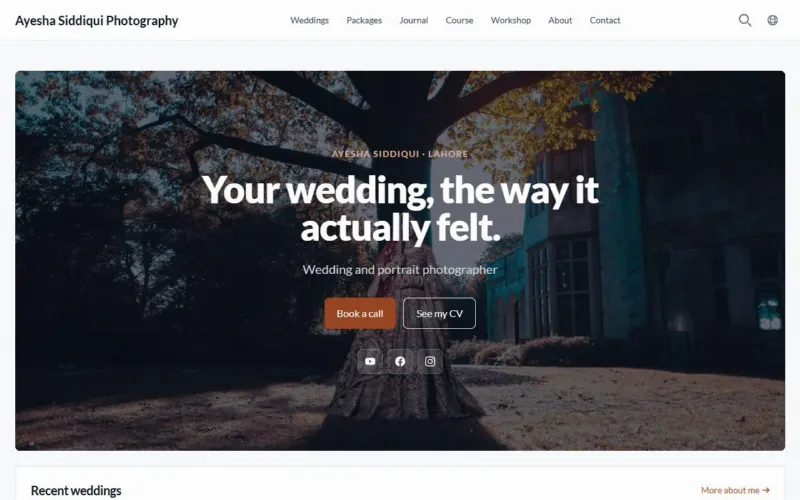
Ayesha Siddiqui: Wedding photographer with packages, a gallery and a course.
Questions.
Which plan includes the timeline?
Every plan, Free included.
How many photos can one moment hold?
Up to 25. Add as many moments as you like.
Can I add something that happened years ago?
Yes. The date is yours to set, and the timeline sorts by it.
Does the timeline work with every theme?
Yes. All 38 themes show the timeline, each in its own style.
Put your name on it.
Start with your profile and CV. Add your writing, products and bookings when you are ready.
Start for freeFree plan, no card needed.